Bear. Share
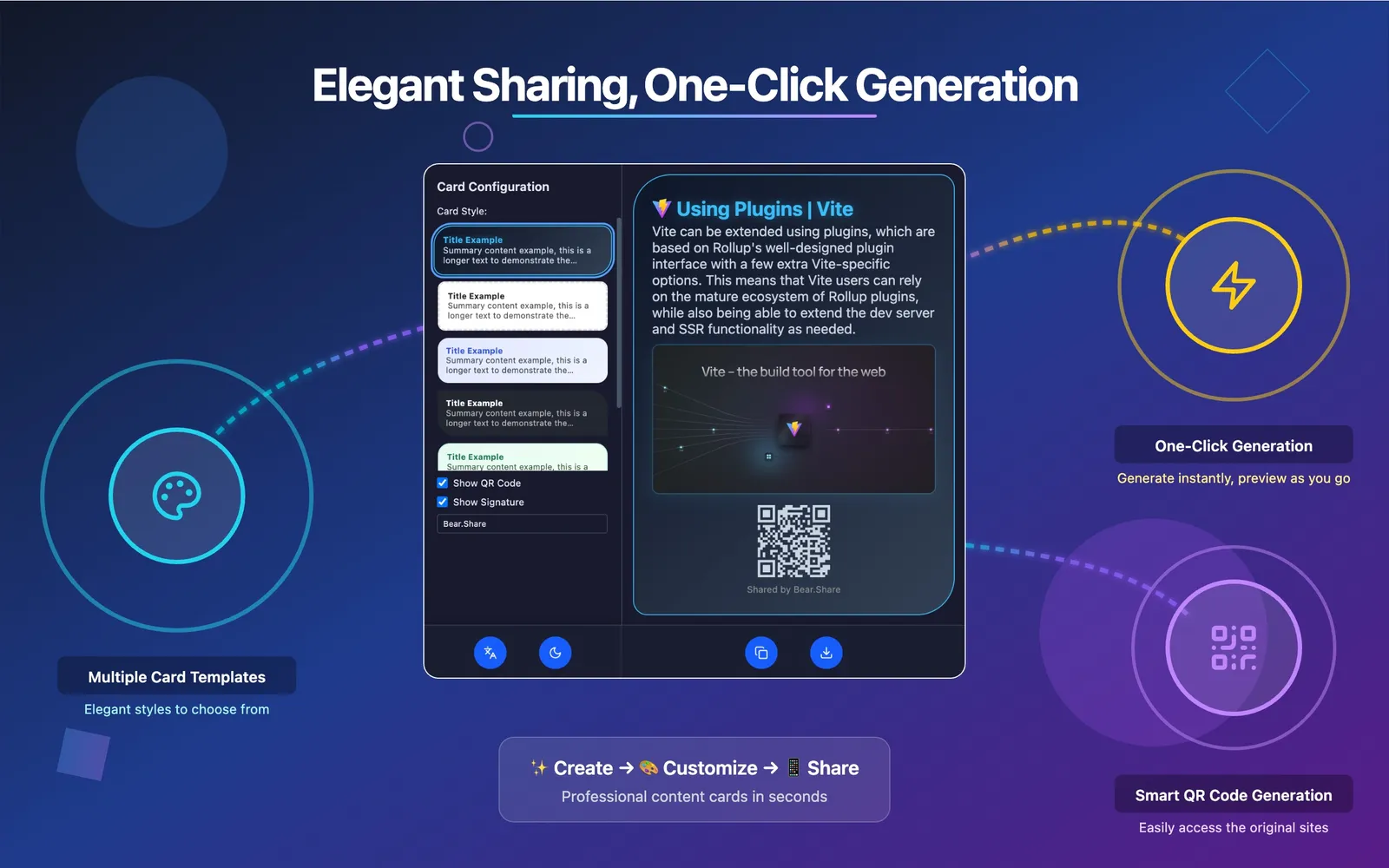
A good article deserves more than a bare link. Bear. Share turns the current page into a card you can style in Chrome, then adds a QR code or signature before you copy or download it locally.
Key Features

Transform Web Content into Visual Stories
Create stunning, professional sharing cards from any webpage in seconds. Perfect for social media, presentations, and content marketing.

The Challenge
Sharing web content shouldn't be limited to boring text links. Stand out in the crowded digital space with visual content that captures attention and drives engagement.
The Bear. Share Solution
One-click transformation of any webpage into beautifully designed sharing cards. No design skills required, no complex tools needed.
Intelligent Features
One-Click Generation
Transform any webpage into a professional sharing card instantly. Right-click or use the extension icon for immediate results.
Designer Templates
Choose from carefully crafted templates that automatically adapt to your content. Each design optimized for maximum visual impact.
Smart QR Integration
Automatically generate QR codes for mobile-friendly sharing. Bridge the gap between desktop discovery and mobile engagement.
Personal Branding
Add a custom signature to your card, or choose to hide it.
See It in Action
From webpage to share-ready card in seconds


Ready to Share Beautifully?
Install Bear. Share and transform your web sharing experience forever.
How to use Bear. Share
Create a sharing card
- Install the extension from the Chrome Web Store and open the webpage you want to share.
- Use the extension icon in the browser toolbar, or open the card interface from the page's right-click menu.
- Choose a card style, optionally show a QR code and custom signature, then preview and copy or download the image.
Good to know
- Choose from five card styles. Card generation and preview run locally.
- The card uses the title, summary, and other information from the page. Check the preview if the page has a complex structure or missing metadata.