

From Idea to Launch: Developing My First Chrome Extension in Just 3 Days
Quickly developed and launched a simple and elegant Chrome extension that generates beautiful webpage sharing cards with one click, saying goodbye to boring webpage links
Inspiration
Recently, I came across several products that convert Markdown to sharing cards, and I found them quite useful. Last Wednesday, I had a sudden idea: if Markdown can be converted to sharing cards, why can't webpages?
Development Process
I decided to act on it immediately. Initially, I used Cursor for development, but the free quota ran out quickly. Then I switched to GitHub Copilot, which I had subscribed to for a year or two but had only been using as a code completion tool (now I realize what a waste that was). With the help of its Agent, I quickly completed the development of this new product.
Product Introduction
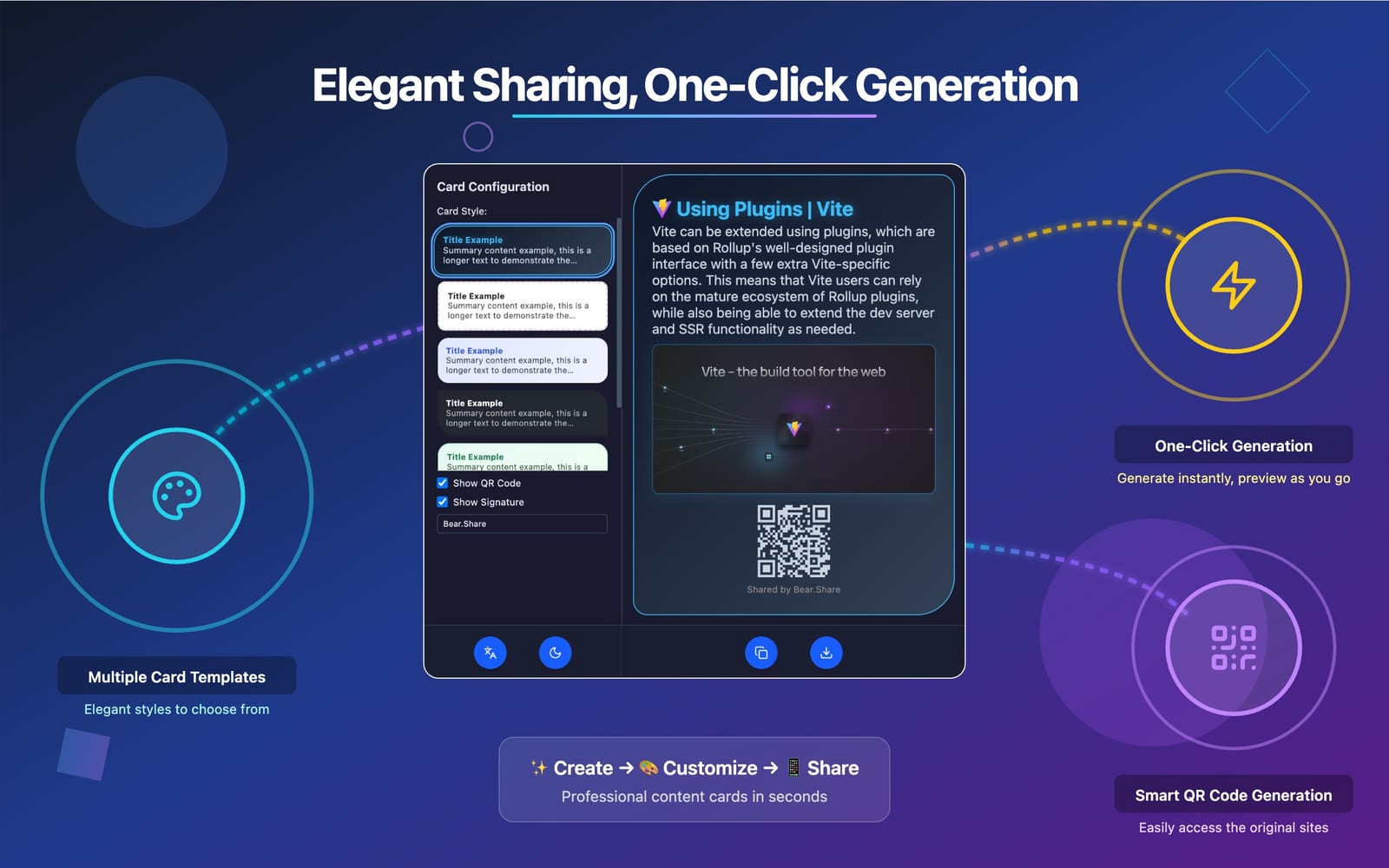
Bear.Share —— A simple and pure browser extension that helps you quickly create professional, beautiful webpage sharing cards. Whether it's articles, news, blogs, or any webpage content, you can generate beautiful cards suitable for social media sharing with one click.
Core Features
- Multiple Card Templates: Provides diverse design choices
- QR Code Generation: Automatically generates QR codes for corresponding webpages, convenient for mobile access
- Personalized Signatures: Supports setting sharing signature footers
- Simple Operation: One-click generation, simple and convenient
How to Use
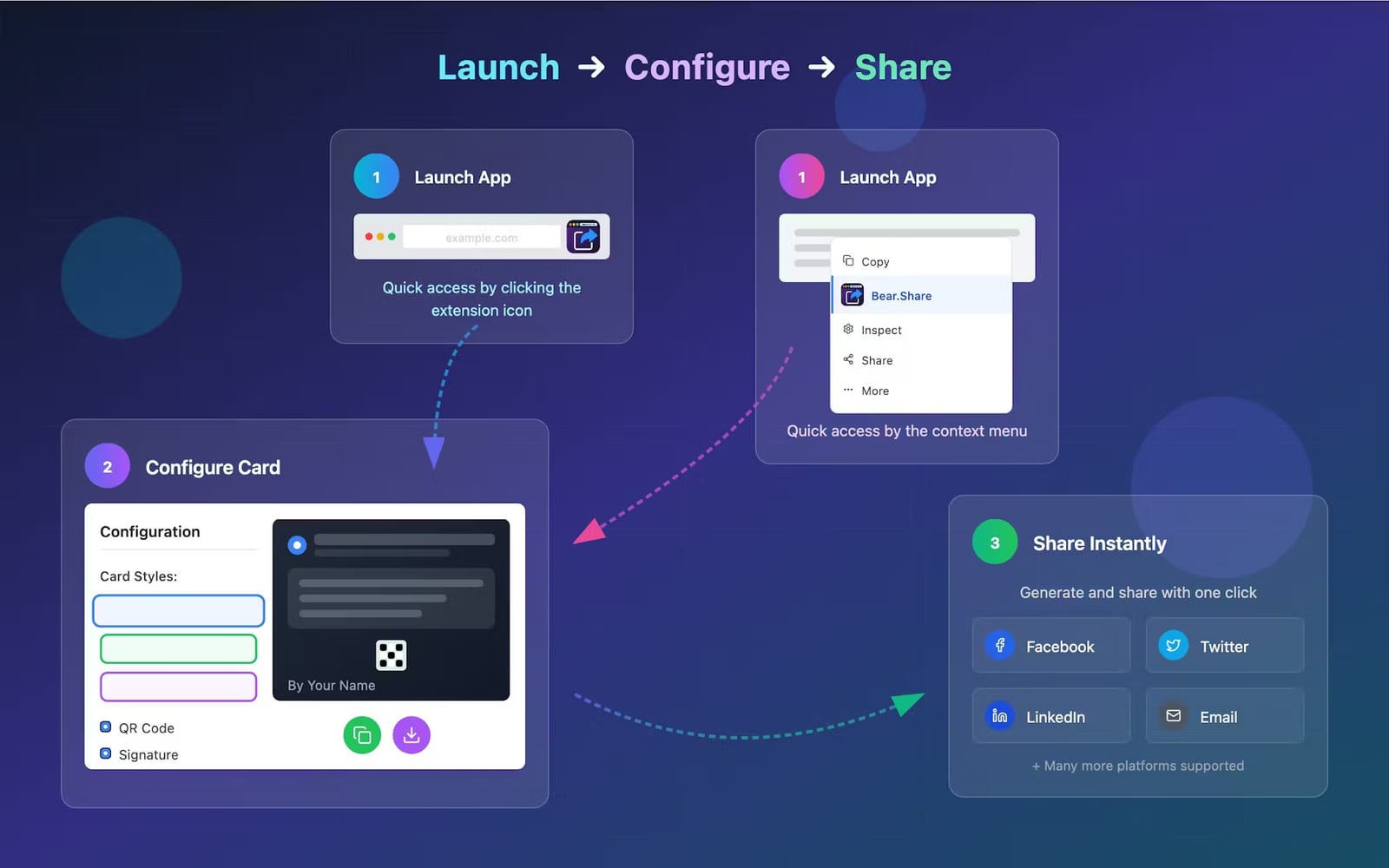
The sharing interface can be quickly launched in two ways: through the browser extension icon and the right-click context menu:
Get the Extension
Chrome Web Store Link:
Bear. Share - Web Sharing Card Generator
Welcome to install and use it! If you like it, please give it a good review~